C2PA manifest inspector
C2PA Content Credentials viewer & verifier
Use this online C2PA checker to inspect supported images, video, audio, and PDFs for Content Credentials, signature validity, signer trust, issuer, generator, and action history.
- Images, video, audio, and PDF
- Signature validity and trust
- Issuer and action history
- Checking service
- Choose file
- Inspect content
- View report
Step 1 of 4: Checking service.
Service check
Preparing the provenance inspector
Confirming the inspection service is ready before anything is sent.
How the C2PA Content Credentials viewer works
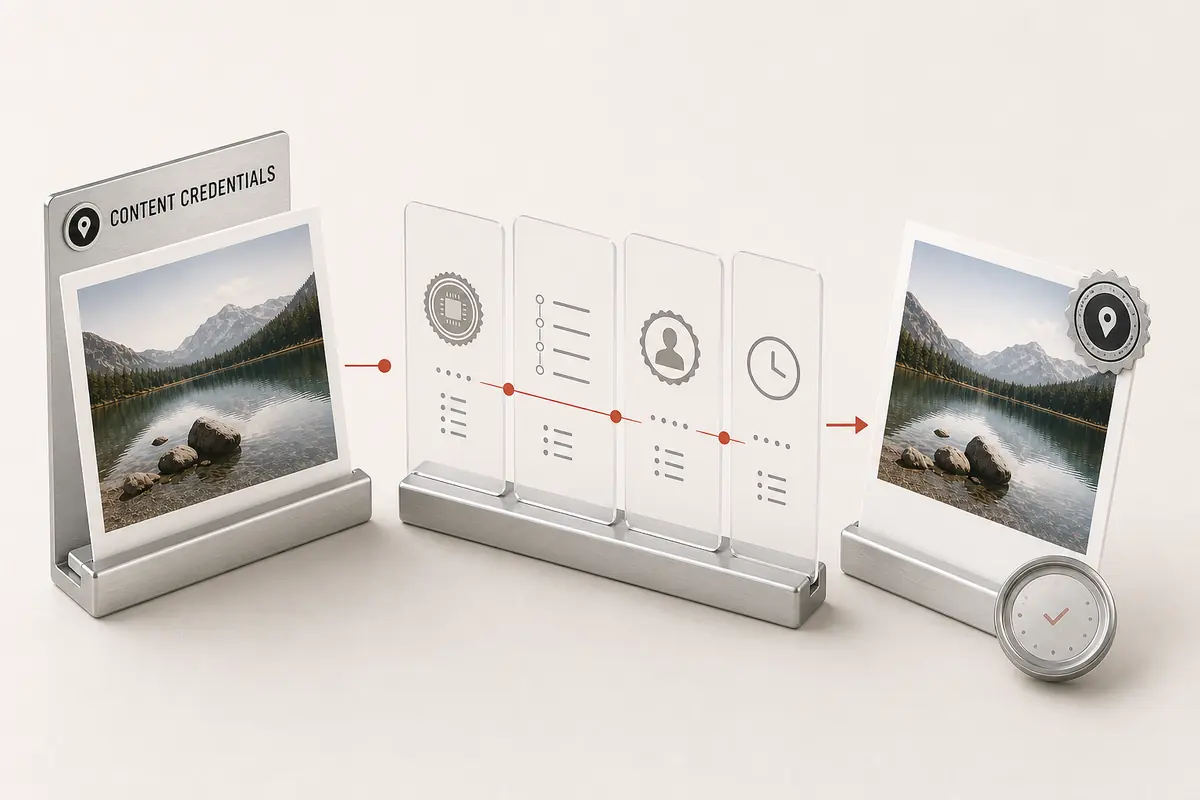
Content Credentials are C2PA provenance records that can describe capture, generation, or edits. The validator separates manifest presence, cryptographic validity, and signer trust, and never equates a credential with AI origin.
Validity before confidence
A marker-only, valid, invalid, trusted, untrusted, or unknown state is displayed explicitly.
Returned issuer and generator
Issuer, generator, and actions are displayed only when structured C2PA data provides them.
Missing credential context
Screenshots, re-encoding, and platform pipelines can strip manifests, so absence is reported as file context rather than an origin classification.
Open C2PA validation
The viewer uses the open C2PA toolchain and separates signature validity from signer trust in the returned report.
Check image provenance before changing the file
Use the original download, not a screenshot of it. Keep the source file and the report together so the result remains tied to the copy you inspected.
- Look for a parsed manifest. A marker alone is not a validated Content Credential.
- Read signature validity and signer trust separately, then review any recorded creation or editing actions. A valid credential is not a judgment that the scene is true.
- Compare the exported or shared copy with the original. A missing record in that copy is not proof of human origin or a complete edit history.
Need editable EXIF, XMP, IPTC, or generator fields too? Use the AI watermark and metadata checker.
For an authorized privacy cleanup, the image metadata cleaner handles supported fields. Inspect and preserve required provenance before removing anything.
Reference: C2PA’s explanation of provenance and its limits.
Understand results across different files
Compare the original export with the copy you received. These examples explain possible outcomes; your report reflects only the checks completed on your submitted file.
- Original media export with Content Credentials
- Parsed credential with validation and trust states
Inspect recorded actions and the signer. Only valid, trusted provenance can support stronger attribution; a manifest's presence alone is insufficient.
- Credential with a broken signature or content binding
- Invalid credential
The file failed the reported integrity check. Do not treat its claimed generator or issuer as verified authorship.
- Unsigned software tag naming an application
- Declared source only
A software name can be edited or copied. It is a useful lead, not a verified provider watermark.
- Screenshot, re-encoded, or stripped copy
- No credential found, or reduced evidence
This copy may have lost its file records. Missing metadata does not establish human origin or absence of an embedded watermark.
- Human-captured photo with valid Content Credentials
- Signed capture or edit history
Content Credentials are not exclusively for AI content. Read the recorded source and actions.
Evidence you can use
Every report separates cryptographic credentials, declared metadata, and provider-controlled verification. You can see exactly what ran before deciding what the file proves.
- C2PA Content Credentials parsing and cryptographic validation for supported files.
- Declared EXIF, XMP, IPTC, container, and generator metadata evidence.
- A precise boundary and official path for provider-controlled verification when one exists.
Frequently asked questions
What are Content Credentials?
Content Credentials (C2PA) are cryptographically signed metadata that can record how a file was captured, generated, or edited. They are provenance records, not a universal statement that content is AI-generated.
How do I check C2PA metadata online?
Upload the original or least-reencoded copy available. The viewer checks for a C2PA manifest and reports its claims, signature validity, signer trust, issuer, generator, and recorded actions when those fields are present.
Which files can I inspect?
JPEG, PNG, WebP, AVIF, HEIC, TIFF, PDF, MP4/MOV video, and WAV/MP3 audio. Files without credentials are reported as having no manifest rather than as an error.
Does a missing manifest mean a file is not AI-generated?
No. Manifests are stripped by screenshotting, re-encoding, and many platform pipelines. Absence of C2PA proves nothing about origin - it only means no credentials survived in this file.
How does this viewer verify C2PA credentials?
The viewer uses the open C2PA toolchain to parse the manifest and report signature validity separately from signer trust. The linked official C2PA guidance and verifier provide an additional reference for high-stakes trust decisions.
What does valid but untrusted mean in a C2PA result?
A valid signature means the signed manifest has not failed its integrity check. Trust is a separate question about whether the signer chains to a recognized trust list, so a valid but untrusted credential should not be treated as verified authorship.
Can I see a photo’s complete edit history with a Content Credentials viewer?
Only the history recorded in credentials that the viewer can read. An editor can omit actions, a shared copy can lose records, and files may have no signed history at all. The viewer is not a recovery tool for every past edit, deleted metadata, or a platform’s private records.
What should I check before I remove C2PA metadata or Content Credentials?
Inspect the original first and keep a copy if its signed history matters. Removing supported credential containers changes the evidence available in the exported file; it does not change who created it, remove every embedded watermark, or override attribution and disclosure requirements.