Can Gemini Remove AI Watermarks? Visible Watermarks vs SynthID Explained
Gemini can hide or edit a visible corner mark on media you own, but that is not the same as removing Google SynthID, C2PA Content Credentials, or ordinary metadata.
Key takeaways
- Gemini’s August 2026 Media watermark setting controls the visible mark on newly created media; Google says it does not affect SynthID or Content Credentials.
- A visible corner overlay, an imperceptible SynthID signal, a signed C2PA manifest, and editable EXIF/XMP fields are four different provenance layers.
- Google’s compatible Gemini verification flow—not a generic metadata scanner—is the appropriate public check for SynthID in supported Google AI media.
- Cropping, inpainting, re-encoding, screenshots, and platform uploads affect each layer differently, so one missing signal never proves human origin.
- Only remove a visible mark or metadata from content you own or are authorized to edit, and preserve an original export before making changes.
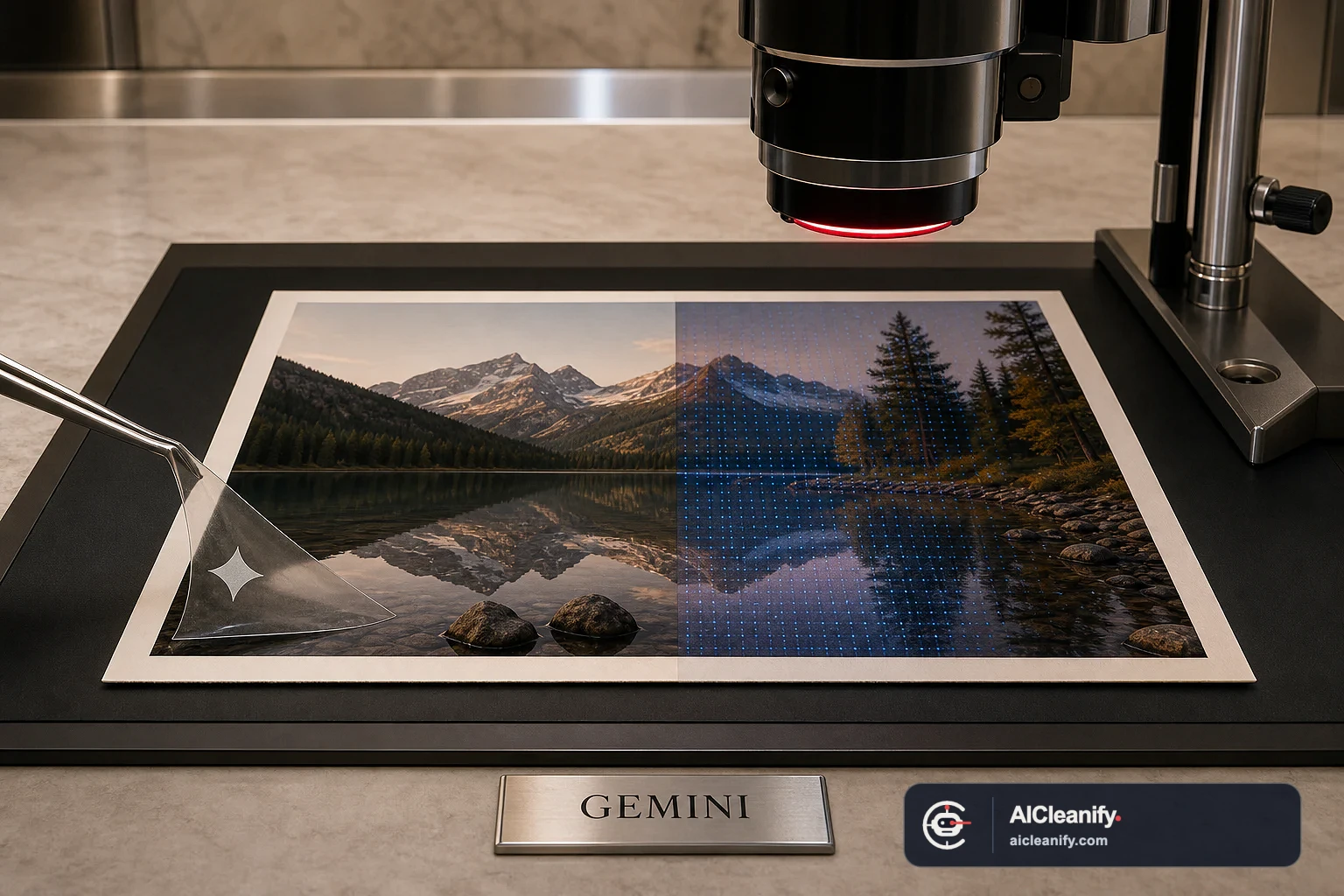
Yes—but only if “watermark” means the visible mark on media you own or are authorized to edit. In August 2026, Google began rolling out a Gemini setting that can turn its visible media watermark off for new creations. Google’s own help page is equally explicit about what the switch does not do: it does not affect the invisible SynthID watermark or Content Credentials. A visible corner overlay, Google SynthID, signed C2PA provenance, and ordinary EXIF/XMP metadata are separate signal layers.
That distinction answers most searches for “Gemini remove watermark.” Gemini can produce a new file without its optional visible mark where the setting is available, and image-editing systems can alter pixels that contain an authorized overlay. Neither action proves that an invisible watermark was removed. A local metadata checker may find C2PA or software fields, but it cannot honestly call itself a universal Gemini watermark checker unless it can also access Google’s compatible SynthID verification.
This guide explains what changed, what can survive an edit, and how to check Gemini image provenance without treating every missing signal as proof. The practical workflow applies only to content you created, licensed, or received permission to edit. If a visible mark identifies a photographer, stock library, publisher, or other rights holder, obtain the licensed original instead of removing the mark.
Why “Gemini remove watermark” surged in August 2026
On August 14, 2026, TechCrunch reported Google’s rollout of a visible-watermark toggle for media made through Gemini and Flow. The setting is named Media watermark. Instead of downloading an image with a small visible corner mark and then cropping or repairing it, an eligible user can turn the mark off before generating a new image, video, or music presentation.
The more important source is Google’s current Gemini watermark-settings documentation. It says the control applies to the visible watermark, and it says that SynthID and Content Credentials are unaffected. It also describes availability limits: work or school accounts may not receive the setting, and access can vary by country or subscription. This is a product control, not a general promise that Gemini will remove any watermark from any existing file.
The August story also revived an older and more controversial meaning of the query. In March 2025, coverage showed users prompting an experimental Gemini image model to erase visible stock-photo watermarks and regenerate the obscured area. Google later introduced direct image editing in the Gemini app, describing the ability to change backgrounds, objects, and elements in uploaded images. Those capabilities explain why Gemini can sometimes alter a visible overlay. They do not create permission to edit someone else’s protected image, and they do not reveal what happened to invisible provenance signals.
The new toggle is prospective, not a cleaner for old downloads
Turning Media watermark off changes future eligible output. It does not reach back into files already saved on your device. If you own an older Gemini image with a visible corner mark, your choices are to regenerate it with the setting off, crop it when the composition allows, or use a pixel-repair workflow. A repair may look seamless, but it synthesizes or reconstructs pixels; it is not recovery of hidden original detail.
For supported images you own, the Gemini visible watermark remover provides a local preview workflow for the corner overlay. Its scope is deliberately narrow: visible pixels. It does not claim to remove, decode, or verify SynthID, and it does not turn an unauthorized image into licensed content.
Watermark is an overloaded word: four signal layers
A useful Gemini AI watermark remover guide starts by naming the layer. “Watermark” is commonly used for four mechanisms that live in different parts of a file and behave differently when you crop, screenshot, compress, or re-export it.
| Signal layer | Where it lives | What it can tell you | Appropriate check |
|---|---|---|---|
| Visible watermark | Rendered pixels, frames, or a player overlay | A human-readable disclosure or brand mark is present in this rendition | Visual inspection; compare with the original export |
| Google SynthID watermark | An imperceptible signal embedded across image, audio, video, or generated-text output | A compatible detector may identify content created or edited by supported Google AI tools | Google’s SynthID verification in Gemini for supported media |
| C2PA Content Credentials | A cryptographically signed manifest embedded in or associated with the asset | Provenance claims, signer information, and actions whose integrity can be validated | A C2PA-aware validator that reports validity and trust separately |
| Ordinary metadata | EXIF, XMP, IPTC, PNG text chunks, filenames, and application-specific fields | Useful clues about capture, software, dates, or export history | A metadata inspector, interpreted as editable supporting evidence |
The layers can coexist, but they are not interchangeable. An image can have no visible corner mark while still carrying SynthID and a signed C2PA manifest. A messaging app may strip the manifest and ordinary metadata while leaving the pixels—and possibly a detectable SynthID signal—largely intact. A screenshot may create a fresh metadata envelope while capturing the visible mark as pixels. A clean EXIF report says nothing about whether Google’s provider-controlled signal is present.
Can Gemini remove a visible AI image watermark?
For Gemini’s own optional visible mark on new media, the simplest answer is to use the Media watermark setting before creation where Google makes it available. This avoids a repair step and preserves the full composition. If the setting is absent, check the account type, subscription, product, country, and rollout status described by Google rather than assuming the feature exists everywhere.
For an existing image you own, a visible mark is pixel content. Cropping deletes a boundary region. Inpainting or generative editing estimates what should replace the marked area. Reverse compositing may mathematically reconstruct a known translucent overlay when its shape, alpha, color, and position match the expected pattern. Each method has a different failure mode:
- Cropping is transparent and predictable, but changes the composition and resolution.
- Inpainting can preserve the canvas size, but may invent texture, edges, or small objects.
- Generative editing can rebuild a larger region, but may subtly change pixels beyond the mark.
- Overlay reconstruction can be precise for a known supported mark, but should fail closed when the placement or encoding does not match.
Always preview at 100% around high-contrast edges, hair, typography, repeated texture, and gradients. Save the result as a new derivative and keep the original. If the goal is publication rather than concealment, add the disclosure required by the destination platform or client brief even when the visible provider mark is optional.
Why removal quality does not establish provenance
A perfect-looking corner proves only that no visible defect is obvious. It does not show whether the image came from Gemini, whether SynthID is detectable, whether a C2PA manifest existed in an earlier version, or whether the editor had permission. Conversely, a failed cleanup is not evidence that a mark is cryptographically secure. Visual quality and provenance verification answer different questions.
What Google SynthID is—and what it is not
Google DeepMind describes SynthID as an imperceptible watermark embedded directly in AI-generated content. For images, it is designed to remain detectable after common modifications such as cropping, filters, and lossy compression. “Designed to” matters: no robustness statement should be rewritten as “impossible to remove,” and no result from an incompatible third-party scanner should be presented as proof.
Google’s current Gemini help says media created or edited with Gemini Apps includes SynthID. It also documents a public user workflow: upload one supported image, video, or audio file to Gemini and ask whether it was created or edited by Google AI. The compatible detector can return a detected, not-detected, or unclear result. Google notes that very simple content or very small edits may not carry enough detectable detail.
That makes SynthID a provider-controlled verification layer. It is not an EXIF tag with a public field name, and it is not the translucent corner graphic. Deleting XMP, changing a filename, or turning off the visible mark does not constitute a SynthID test. A generic visual “AI detector” score is also not a substitute: a classifier estimates patterns, while a watermark detector looks for a specific embedded signal.
How to check a Gemini image for SynthID
Use the official flow documented in Gemini’s AI-media verification guide. Sign in, upload a single supported file, and ask a direct provenance question such as whether the image was created or edited by Google AI. Prefer the original file. If you only have a screenshot, crop tightly around one image rather than submitting a collage, which matches Google’s own guidance.
AICleanify does not claim to decode SynthID locally because there is no compatible general-purpose public decoder exposed through its current provider stack. The Gemini watermark checker separates the work it can perform—supported C2PA and ordinary metadata inspection—from the official Google step needed for SynthID. That boundary is more useful than a confident but technically unsupported “watermark removed” badge.
C2PA Content Credentials are signed provenance, not ordinary metadata
C2PA Content Credentials are often casually called metadata because a manifest can travel inside an image file. The critical difference is cryptographic binding. The C2PA Content Credentials specification defines manifests, claims, signatures, actions, ingredients, and validation rules that let a compatible consumer check whether signed provenance is intact for the asset it received.
A valid signature does not automatically mean “AI-generated,” “true,” or “trusted.” It means the signed claim passed the relevant integrity checks. Trust depends on the signer certificate and the verifier’s configured trust model. A useful report therefore distinguishes at least these outcomes:
- No embedded manifest found: this file did not expose supported embedded credentials to the checker.
- Manifest found but invalid: the file, binding, signature, or manifest structure failed validation.
- Valid but untrusted or unknown signer: integrity passed, but the verifier did not establish signer trust.
- Valid and trusted: integrity and the verifier’s trust requirements passed; read the actual claims and actions rather than reducing the result to an AI label.
An editor that understands C2PA can add an update manifest and preserve an ingredient chain. An editor that changes the bound pixels without updating credentials can make an embedded manifest invalid. A re-export or social platform may drop the manifest completely. C2PA’s durable-credentials guidance also describes soft bindings such as imperceptible watermarks or fingerprints that can help recover a separately stored manifest, but support depends on the ecosystem and repository. “No local C2PA box” is therefore not always the same as “no provenance ever existed.”
Ordinary EXIF, XMP, and IPTC fields are useful but editable
Ordinary metadata can name a camera, application, date, prompt field, or generator. It is valuable for organizing your own files and reconstructing a workflow. It is also easy for software to replace, copy, omit, or strip. A software string that mentions Gemini is supporting evidence, not cryptographic attribution. A camera model is not proof that every pixel came directly from that camera. Treat filenames and download names as even weaker clues.
If you need a file-level audit, inspect both categories. The C2PA Content Credentials viewer reports supported manifest evidence and keeps validation separate from signer trust. The image metadata workflow can show why an exported derivative behaves differently, but metadata removal should never be described as SynthID removal.
Visible watermark vs invisible watermark: what survives common edits?
No survival table is a guarantee. Formats, encoders, edit strength, watermark implementations, and verification thresholds all matter. Use the table as a test plan, then inspect the actual original and derivative.
| Edit or transfer | Visible overlay | SynthID | Embedded C2PA | Ordinary metadata |
|---|---|---|---|---|
| Turn off Gemini’s Media watermark before generation | Absent from eligible new output | Google says unaffected | Google says Content Credentials remain | Depends on export fields |
| Crop the corner | Removed if fully outside the crop | Designed to tolerate cropping; verify with Google | May remain valid only if the workflow records the edit correctly; otherwise may be lost or invalid | May remain, be rewritten, or be stripped |
| Inpaint or generatively edit pixels | Can be replaced | May remain detectable, weaken, or become unclear; verify | Requires a provenance-aware update to preserve a valid edit history | Often rewritten by the exporting app |
| Lossy JPEG/WebP recompression | Usually still visible | Designed for some lossy compression; verify the actual file | Often stripped by non-C2PA exporters | Frequently reduced or removed |
| Screenshot | Captured as pixels if visible on screen | May or may not remain detectable in the new raster; verify | Original embedded manifest is normally not copied into the screenshot | Replaced with screenshot-device or app metadata |
| Social-platform upload and download | Usually remains unless the platform crops or overlays it | Pixel changes may affect confidence; verify downloaded copy | Platform processing may strip or replace credentials | Commonly stripped or rewritten |
A safe practical workflow for an image you own
Preserve the closest copy to the original export
Duplicate the source before editing. Record where it came from, when it was generated or edited, which account or project owns it, and any client or license terms. If provenance matters, a project log and original export are often more useful than trying to infer history from a compressed repost.
Identify the question before choosing a tool
“Can I make the corner look clean?” is a visual-editing question. “Does this file contain a signed manifest?” is a C2PA-validation question. “Does Google detect SynthID?” is a provider-verification question. “Which software fields are present?” is a metadata question. Write the question down; it prevents one tool’s result from being stretched beyond its coverage.
Inspect the visible image at full size
Look at every corner, not just the lower right. Distinguish a provider mark from a creator signature, copyright notice, stock-library preview, publication credit, or embedded design element. If ownership or permission is uncertain, stop. The safe resolution is the licensed, unwatermarked source—not a removal prompt.
Run file-level checks before editing
Inspect C2PA and ordinary metadata on the original. Save the report or a structured note. Do not translate “nothing found” into “not AI.” The file may have been re-encoded, the format may be unsupported, a platform may have stripped metadata, or the relevant signal may require a provider verifier.
Use Google’s compatible SynthID check
Upload the original to Gemini and ask whether it was created or edited by Google AI. Keep the wording and result. If the response is unclear, report it as unclear. Do not retry with a different crop until a negative answer appears and then present that one attempt as definitive.
Create a derivative, then compare
For an authorized visible-mark removal, edit a copy. Compare dimensions, crop, edge detail, color, and any important small objects. Then repeat the relevant file-level and provider checks. Your before-and-after record should say exactly what changed: for example, “visible corner overlay removed; C2PA not present in derivative; SynthID result not tested,” rather than the overly broad “AI watermark removed.”
What local tools can and cannot verify
Local and self-hosted inspection is strongest when the evidence is actually in the submitted file and the format is supported. A tool can enumerate EXIF/XMP/IPTC fields, locate a C2PA manifest, validate supported cryptographic structures, compare hashes, and show whether a visible cleanup changed expected pixels. Those are concrete, auditable operations.
A local tool cannot infer access to a closed provider detector. It should not promise to remove SynthID merely because it removed metadata, and it should not label a file “human-made” after a negative scan. It also cannot recover the factual scene hidden beneath an opaque watermark; an inpainting model generates a plausible replacement. Finally, no technical tool can determine that you have the legal right to edit a third party’s image.
Use coverage labels that remain true: checked here, not found in this file, unsupported, needs Google verification, and unclear. The phrase “Gemini AI watermark remover” may attract the search, but the result must still name the exact layer changed.
Common mistakes when checking Gemini image provenance
- Calling every signal SynthID. A corner icon, XMP string, and signed manifest are not three views of the same watermark.
- Testing only a screenshot. Start with the original export whenever possible, then use the screenshot as a separate derivative.
- Equating absent metadata with absent provenance. File metadata is often the first layer lost during sharing.
- Equating a valid C2PA signature with truth. Validate the asset, establish signer trust, and read the claims and actions.
- Using an AI classifier as a watermark checker. A statistical score is not a SynthID detection result.
- Describing robustness as permanence. SynthID is designed to survive common transformations; only a compatible check can report the actual file.
- Removing another creator’s mark. Technical ability is not authorization. Obtain the licensed original.
The practical answer
Gemini can remove or avoid a visible AI watermark in specific authorized workflows. Its August 2026 setting can omit Google’s visible mark from eligible new media, and image editing can change pixels in an older file you own. That is the full extent of the simple “yes.”
For every other layer, use precise language. Google says the visible setting does not affect SynthID or Content Credentials. Check SynthID with Google’s compatible Gemini verifier. Inspect C2PA with a validator that separates signature validity from trust. Read EXIF/XMP as editable supporting evidence. Preserve the original, test derivatives independently, and never interpret one missing layer as proof that an image is human-made or provenance-free.
Primary sources and reporting
- Google Gemini Apps Help: Manage watermark settings
- Google Gemini Apps Help: Verify AI-generated images, videos, and audio
- Google DeepMind: SynthID overview and verification
- Google: Upload and edit images directly in Gemini
- C2PA 2.4 Content Credentials specification
- C2PA and Content Credentials explainer
- TechCrunch: August 2026 visible-watermark setting coverage
- TechCrunch: 2025 Gemini image-editing watermark-removal coverage
Frequently asked questions
Can Gemini remove its visible watermark from AI images?
Yes, where Google’s Media watermark setting is available, you can turn off the visible mark before creating and downloading new Gemini media. That setting does not clean files you already downloaded. For an older image you own, an authorized crop or pixel-repair tool may remove the visible overlay, but the edit can change nearby pixels.
Does removing the visible Gemini mark remove SynthID?
No. Google explicitly describes the visible setting and SynthID as separate layers. The visible mark is an overlay people can see; SynthID is an imperceptible signal embedded in generated or edited media. Turning off, cropping, or cleaning the corner mark is not a SynthID removal or verification method.
How can I check whether an image has Google SynthID?
Use Google’s supported verification flow in Gemini: upload one image and ask whether it was created or edited by Google AI. AICleanify can inspect local file metadata and supported C2PA records, but it does not claim to decode Google’s provider-controlled SynthID signal. Keep those results separate.
Is C2PA metadata the same as a Google SynthID watermark?
No. C2PA Content Credentials are signed provenance manifests that can document origin and edit history. SynthID is Google’s imperceptible content signal. Ordinary EXIF, XMP, and IPTC fields are a third category: useful file records, but usually editable and not cryptographically trustworthy by themselves.
Can a screenshot remove Gemini image provenance?
A screenshot commonly drops the original file’s EXIF, XMP, and embedded C2PA manifest because it creates a new file. It also replaces the visible frame with captured pixels. SynthID is designed to tolerate common changes, but only a compatible Google check can tell you whether a supported signal remains detectable in that screenshot.
Is it legal to remove a watermark from an image?
Rights depend on the image, license, jurisdiction, and reason for the edit. A safe workflow is limited to media you created, own, or have explicit permission to modify. Do not use Gemini or any remover to erase a photographer, stock agency, publisher, or creator mark from content you are not authorized to edit.
